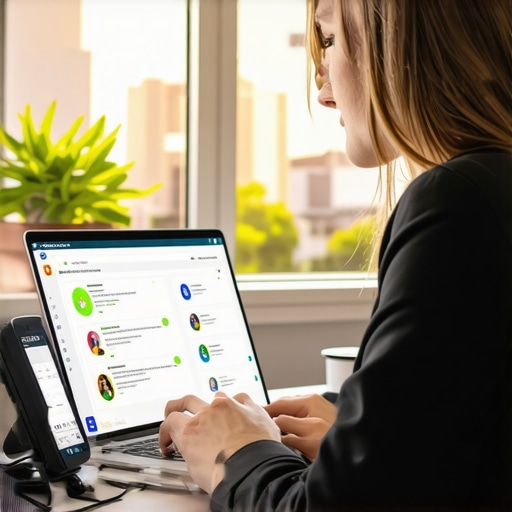

Stop Chasing Reviews and Start Using These 4 Customer Prompts
Stop Chasing Reviews and Start Using These 4 Customer Prompts
For years, the local SEO industry has been obsessed with a single metric: the review count. Business owners are often told that the person with the most reviews wins. While volume certainly plays a role in consumer trust, the era of “quantity over quality” is officially over. If you are a plumber, lawyer, or contractor, you’ve likely spent thousands of dollars on local seo services only to see your rankings stall while a competitor with half your reviews sits comfortably in the top three of the Map Pack.
The reason for this is simple: Google’s algorithm has evolved. We are no longer just looking at a “star rating” system; we are looking at a sophisticated data-mining operation. Google uses Natural Language Processing (NLP) to parse every word of a review to understand what you do, where you do it, and how well you do it. If your reviews are all generic “Great service!” or “Thanks, Tim!”, you are missing out on the most powerful ranking signals available today.
My name is Tim Capper, and as a Google Business Profile Expert, I’ve seen thousands of profiles fail because they were chasing numbers instead of relevance. In this guide, I’m going to show you how to stop begging for reviews and start using four specific customer prompts that trigger Google’s algorithm to reward your business with higher visibility.
Section 1: The “Review Quantity” Trap
The “Review Quantity” trap is a psychological hurdle that many small business owners face. It feels good to see that number hit 100, 500, or 1,000. However, from a technical google business profile seo perspective, 500 generic reviews are significantly less valuable than 50 high-quality, keyword-rich reviews that include user-generated content (UGC).
Google’s local ranking algorithm is built on three pillars: Relevance, Distance, and Prominence. While quantity contributes to “Prominence,” the content within those reviews is what drives “Relevance.” According to Whitespark’s annual research, reviews remain a top ranking factor, but the 2026 algorithm shifts have placed a much higher weight on “Review Justifications” – those little snippets Google shows under your listing like “Soldier mentioned: water heater repair.”
When a customer leaves a review that simply says “Excellent,” Google learns nothing about your business. When they leave a review that mentions a specific service, a specific problem, and a specific location, Google’s AI connects those dots. This is the secret to a successful gmb ranking service: we aren’t just getting feedback; we are feeding the machine the data it craves.
If you want to understand why your current approach isn’t moving the needle, check out my deep dive on Why Your Review Strategy Is Failing and 4 Ways to Get Real Customer Photos. To truly rank google business profile listings effectively, you must move beyond the “Please leave us a 5-star review” script.
Section 2: Prompt #1, The “Specific Service” Anchor
The first prompt you must implement is designed to anchor your business to specific high-value keywords. Most customers, when left to their own devices, will write a one-sentence summary of their mood. To combat this, you need to provide a cognitive bridge.
The Prompt: “What specific project did we help you with today (e.g., water heater repair, dental cleaning)?”
By including examples in your request, you are “priming” the customer to use those exact terms in their review. When a customer writes, “Tim came out for a water heater repair and was very professional,” Google’s NLP identifies “water heater repair” as a service associated with your entity. This is one of the fastest ways to rank google business profile for specific service-based keywords that you might not even have on your website yet.
This strategy is the backbone of any professional google maps ranking service. It’s about building a semantic cloud around your profile. If 20% of your reviews mention “emergency pipe repair,” Google will naturally begin to show your business for that specific search query in the local map pack. This is often more effective than simply adding the service to your “Services” list in the dashboard, as Google trusts third-party verification (customer reviews) more than self-declared data.
If you find that you are ranking for the wrong things, you might need to adjust your foundational settings. Read more on How a Simple Primary Category Change Can Make Stalled Map Rankings Improve. Utilizing google maps seo tools can help you identify which keywords your competitors are successfully anchoring in their reviews so you can pivot your prompts accordingly.
Section 3: Prompt #2, The “Visual Proof” Request
Google is no longer just a text-based search engine; it is a visual discovery engine. Photos are a massive trust signal for users, but they are an even larger ranking signal for Google’s AI. Google uses an API called Cloud Vision to “read” the contents of photos uploaded to your profile.
The Prompt: “Could you share a photo of the finished result? It helps other neighbors see our work.”
When a customer uploads a photo of a freshly painted house or a repaired roof, Google’s AI identifies the objects in that photo. It sees “house,” “roof,” “shingles,” and “ladder.” It then cross-references this visual data with your business categories. This creates a powerful layer of google business profile optimization that most of your competitors are completely ignoring.
User-generated content (UGC) is the gold standard of authenticity. While professional brand photos are important, Google’s algorithm prioritizes photos taken by customers on mobile devices because they contain GPS metadata (EXIF data) that confirms the work was actually done at a specific location. This bolsters your “Distance” and “Relevance” signals simultaneously.
To understand the technical side of this, I recommend reading 7 Smartphone Photos That Prove Authenticity Beats Studio Quality in Local Maps. If you want to see how your photos stack up against the competition, using a google business profile audit tool is essential for identifying gaps in your visual strategy.
Section 4: Prompt #3, The “Problem-Solution” Narrative
Google’s “Relevant” sort filter is the default view for most users looking at reviews. Have you ever noticed that a 3-year-old review sometimes stays at the top of your profile while a 5-star review from yesterday is hidden? This is because Google prioritizes long-form, descriptive reviews that explain a journey.
The Prompt: “What was the main problem you were facing before you called us, and how did we resolve it?”
This prompt encourages the customer to write a narrative. Instead of “Great job,” they write: “We had a leaking basement for weeks and couldn’t find the source. Tim’s team found the foundation crack immediately and fixed it the same day.”
From an SEO perspective, this builds “Prominence.” Long-form reviews are seen as more helpful by Google’s algorithm, and they are more likely to be featured as “Review Justifications” in the search results. This is a critical component if you want to rank higher on google maps. The more descriptive the review, the more “surface area” your profile has to match with complex search queries.
Implementation is key here. You don’t want to be overbearing. I’ve developed a specific method for this: This Text Message Script Gets 5-Star Reviews Without Being Annoying. By framing the request as “helping other customers understand the process,” you lower the customer’s resistance to writing a longer response. This is a cornerstone of local seo ranking tools and strategies used by top-tier agencies.
Section 5: Prompt #4, The “Hyperlocal” Mention
One of the biggest challenges for “Service Area Businesses” (SABs) is ranking in neighborhoods where they don’t have a physical office. Google’s proximity filter is tight. To expand your “reach,” you need your customers to do the geo-tagging for you through their words.
The Prompt: “We love serving [City/Neighborhood Name]. How was your experience with our local team?”
When a customer mentions a specific neighborhood like “Chelsea,” “The Heights,” or “Summerlin,” they are providing Google with localized proof of service. This boosts your geo-relevance for that specific area. If you are a contractor in London but you want to rank in Kensington, getting five reviews that mention “Kensington” is worth more than fifty reviews that don’t mention a location at all.
This is essential for local map pack seo. It tells Google, “Yes, this business is relevant to users searching from this specific sub-locale.” When combined with the “Specific Service” anchor, you create a powerhouse ranking signal: [Service] + [Location] + [Verified Customer].
To track how well these prompts are working across different areas, you should use 3 Proven Tools to See Where Your Business Actually Ranks in Each Neighborhood. Without these hyperlocal mentions, your profile will likely remain “stuck” in a small radius around your verified address. Professional google maps lead generation tools often prioritize these hyperlocal signals to ensure maximum lead flow from high-value zip codes.
Section 6: Automating the Feedback Loop
Knowing these prompts is only half the battle; the other half is implementation. You cannot rely on your technicians or staff to remember these specific scripts every time. You need to integrate them into your post-service workflow. Whether you use SMS, email, or a QR code on an invoice, the prompt must be the first thing the customer sees.
Automation shouldn’t feel robotic. Use the “short and simple” advice directly from Google Business Profile Help, but give it a “Tim Capper” twist: keep it human. Instead of an automated “Review us on Google,” try: “Hey [Name], it was a pleasure helping you with your [Service] in [City] today. Could you do us a quick favor and share a photo of the result? It helps neighbors find us!”
Once you have these prompts running, you need to track the results. Don’t just look at your star rating. Use a google maps rank tracker to see if your visibility for the “Specific Service” keywords is increasing. Are you starting to appear for “water heater repair” in the neighborhoods mentioned in your reviews? This is where the real ROI of local SEO happens.
If you’re looking for ways to monitor this without breaking the bank, check out 5 Free Tools That Track Your Local Rankings Better Than Paid Ones. Effective review management is a feedback loop: you prompt, you rank, you analyze, and you refine. This is the only way to achieve long-term dominance in the Google Maps ecosystem.
Conclusion: Moving from Numbers to Data
The local SEO landscape in 2026 and beyond is about data density. Google’s AI is hungry for context, and your customers are the best source of that data. By shifting your strategy from “chasing reviews” to “prompting for keywords and photos,” you are essentially providing Google with a roadmap of why you deserve to be #1.
To summarize, your new review strategy should focus on:
- Specificity: Forcing the mention of service keywords.
- Visuals: Leveraging UGC and Cloud Vision AI.
- Narrative: Building prominence through long-form problem-solving stories.
- Geography: Anchoring your business to specific neighborhoods.
Stop settling for “Great job!” and start demanding more from your customer feedback. If you are ready to see how your current Google Business Profile measures up against the top players in your industry, I highly recommend using a google business profile audit tool. Audit your profile, implement these four prompts, and watch your rankings move from the “hidden” results to the top of the Map Pack.
For more advanced strategies and the tools I use to dominate local search, visit SEO Viper Tools and take control of your local visibility today.