
5 Free Tools That Track Your Local Rankings Better Than Paid Ones
5 Free Tools That Track Your Local Rankings Better Than Paid Ones (2026 Guide)
I’ve seen it a thousand times. A business owner pulls up a report from a $200-a-month SEO suite, sees a big green “#1” next to their primary keyword, and wonders why the phones aren’t ringing. Here is the cold, hard truth of local search in 2026: that “#1” is a lie. Or, at the very least, it’s a dangerous oversimplification.
I’m Marco Herrera, and I spend my days deep in the trenches of google business profile seo. If there is one thing I’ve learned helping contractors, lawyers, and plumbers dominate their local markets, it’s that “average rank” is a vanity metric designed to make agencies look good while your business stays invisible. In today’s landscape, proximity isn’t just a factor – it’s the only factor that determines your survival in the Local Pack. If you aren’t tracking your rankings at the neighborhood level, you aren’t tracking them at all.
The problem with most bloated, paid SEO software is that they give you a city-wide average. But your customers don’t live in “the city”; they live three blocks away from your office, or five miles south, or right across the highway where your ranking mysteriously drops to #14. You don’t need a massive monthly subscription to see this data. In fact, some of the most agile tools on the market right now are completely free. Before you spend another dime on software, you need to understand The Real Reason Your Competitors Own the Map Pack While You Stay Hidden.
Why “Hyperlocal” Tracking is the Only Metric That Matters
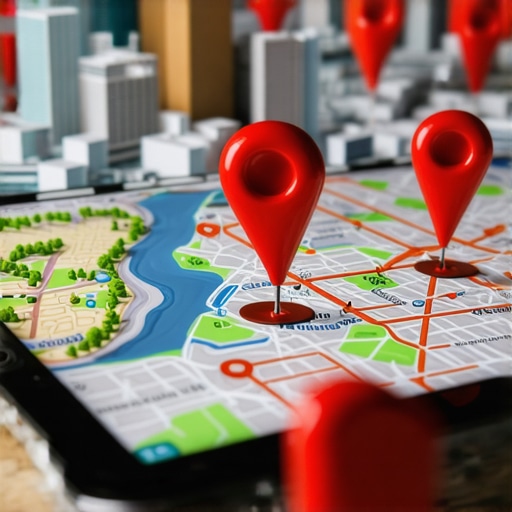
In 2026, Google’s “Vicinity” logic has become more surgical than ever. We are no longer dealing with a static list of search results. We are dealing with a “Geo-Grid.” Think of your service area as a chessboard. You might be the King at square E4 (your office location), but by the time you move to H8, you’re a pawn. This is why google maps seo tools have become the cornerstone of any successful local strategy.
The “Proximity, Relevance, and Prominence” triad still rules the algorithm, but proximity has gained an outsized influence. Google wants to provide the most frictionless experience possible, which means showing the user the closest qualified business. If you are a plumber, ranking #1 for your entire city is impossible because Google won’t show you to someone 20 miles away if there’s a decent competitor 2 miles away from them.
To win, you have to visualize your data. Technical tracking requires pulling specific latitude and longitude coordinates to simulate a user standing on a specific street corner. This granular data allows you to see exactly where your “ranking radius” ends. Once you know where the “red zones” are on your map, you can begin the real work of expansion. For a deeper dive into what actually moves these needles, check out 5 Map Pack Ranking Factors That Actually Move the Needle for Local Traffic.
Tool #1: Localo (The Instant Auditor)
If you are looking for a “no-nonsense” health check, Localo’s free local rank checker is a powerhouse. Most tools force you through a grueling sign-up process, asking for your credit card “just for the trial.” Localo understands that sometimes you just need to know where you stand right now.
The beauty of Localo lies in its “Instant Auditor” functionality. You simply type in your business name and your target keyword. Within seconds, it generates a visual representation of your performance. It’s perfect for a quick pulse check before a client meeting or when you’re triaging a sudden drop in lead volume.
What I appreciate about Localo in 2026 is its interface. It’s clean, fast, and provides a clear “Local Visibility” score. It doesn’t just tell you that you are #3; it gives you a sense of how much of the local market share you are actually capturing. For a free tool, the speed at which it pulls live Google Maps data is impressive. It’s the “first response” tool every business owner should have bookmarked.
Tool #2: GBPPromote (The Beginner’s Choice)
Not everyone wants to look at complex data visualizations or multi-layered heat maps. For many small business owners, the goal is simple: rank google business profile and get back to work. This is where GBPPromote shines. It has gained a massive following in the SEO community because it strips away the “enterprise” fluff that ruins tools like BrightLocal for the average user.
GBPPromote is a “no-frills” tracker. It’s designed for the user who finds traditional SEO software intimidating. It focuses on the essentials: Where are you ranking, who is outranking you, and what are the basic categories they are using?
In my experience, simplicity often leads to better execution. When a tool is easy to use, you actually use it. GBPPromote provides a straightforward list of rankings across various points in your city, giving you a clear roadmap of where you need to improve your google business profile seo without overwhelming you with 50 different tabs of “analytics” you’ll never look at.
Tool #3: LocalRank.so (Real-Time Precision)
In highly competitive niches – think personal injury lawyers or 24-hour emergency HVAC – rankings don’t just change by the day; they change by the hour. If you’re in one of these “blood bath” markets, you need real-time data. LocalRank.so has become a favorite in the Facebook SEO groups I frequent because of its focus on precision.
While many free tools rely on cached data to save on API costs, LocalRank.so pushes for more frequent updates. This is vital because Google often tests different “Local Pack” configurations. You might see a “2-pack” in the morning and a “4-pack” by the afternoon. Tracking these shifts allows you to understand the volatility of your specific market.
Using a tool like this helps you identify if a ranking drop is a “you” problem (like a suspended profile or a surge in bad reviews) or an “algorithm” problem (where the entire market is shifting). For more options on localized tracking, I recommend reading 3 Proven Tools to See Where Your Business Actually Ranks in Each Neighborhood.
Tool #4: BrightLocal’s Local Search Results Checker
Wait, isn’t BrightLocal a paid suite? Yes, but their “Local Search Results Checker” is a free standalone tool that remains one of the most powerful assets in my toolkit. It addresses the “Search as a Local” problem perfectly.
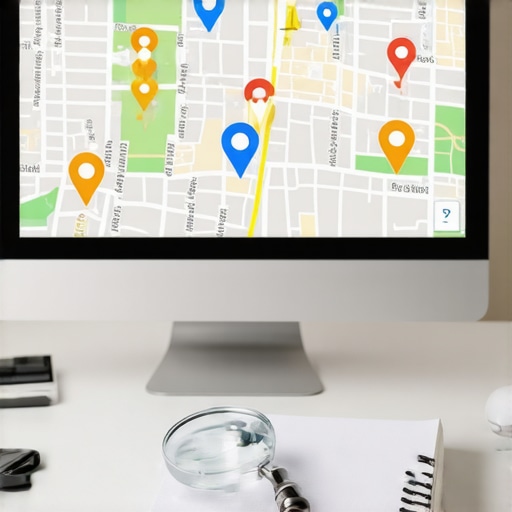
When you search for your own business from your office, Google knows it’s you. It uses your search history, your IP address, and your physical proximity to give you a biased result. You’ll almost always look like you’re #1 to yourself. BrightLocal’s free tool breaks this “echo chamber.” It allows you to set your search location down to a specific ZIP code or even a street address.
This is vital for google business profile optimization. If you are trying to rank in a wealthy suburb ten miles away, you can use this tool to see exactly what a customer in that suburb sees. It’s a reality check that every marketing manager needs. It’s the closest thing to “teleporting” your browser to another location. To see how to use this data for a quick fix, check out The 15-Minute Google Maps Audit That Reveals Why You’re Invisible.
Tool #5: SEO Viper Tools (The Professional’s Secret)
When you are ready to stop “checking” and start “dominating,” you need a toolset that was built by people who actually do the work. SEO Viper Tools is the professional’s secret for a reason. While they offer premium features, their free entry points and “Megalodon” suite provide insights that even the most expensive enterprise tools miss.
What sets them apart is the google business profile audit tool. Most trackers just tell you where you rank. SEO Viper tells you why you aren’t ranking higher. It digs into the technical weeds:
- Are your categories mismatched compared to the top 3 winners?
- Do you have “ghost citations” creating NAP (Name, Address, Phone) confusion?
- Is your proximity-to-relevance ratio off?
In the world of local seo ranking tools, SEO Viper is built for the “geo-grid” era. It identifies the hidden errors that keep your business trapped in the “More Places” basement. If you’ve hit a plateau and the basic free tools aren’t giving you the “next steps,” this is where you go to find the technical gaps in your strategy. Learn more about this by reading How We Found the Hidden Errors Keeping Your Business Off the Local Map Pack.
Strategy: How to Turn Tracking Data into Rankings
Tracking is only half the battle. If you pull a geo-grid and see a sea of red (rankings below #10) outside of a two-mile radius, you have work to do. Data without action is just noise.
First, look for the “fringe” areas – the spots where you are ranking #4 or #5. These are your easiest wins. To push those into the Top 3, you need localized signals. This means:
- Geo-tagged Photos: Uploading images of your team working in those specific neighborhoods.
- Local Citations: Ensuring your business is listed in neighborhood-specific directories, not just the big ones like Yelp.
- City-Specific Landing Pages: Creating content on your website that speaks directly to the residents of those “fringe” areas.
Small tweaks can yield massive results in the Local Pack. If you’re looking for a quick checklist of things you can do today, I’ve put together a guide on 7 Simple Tweaks That Actually Help Your Map Rankings Improve.
Conclusion: Stop Guessing and Start Growing
The “proximity trap” is real, but it’s only a trap if you’re blind to it. In 2026, you don’t need a thousand-dollar software budget to see exactly where your business stands. Whether you use the instant feedback of Localo, the real-time updates of LocalRank.so, or the deep technical audits of SEO Viper, the goal is the same: clarity.
Don’t let your competitors own the most valuable real estate on the internet – the Google Local Pack – just because they have better data. Audit your profile today. Find your weak spots. And if you’re tired of DIY-ing your growth, visit SEO Viper for a comprehensive google maps ranking service that turns your “red zones” into “green zones.”